Tuesday, May 5, 2020

My Doctoral Journey


“I can do all things through Christ who gives me strength.” Philippians 4:13. 


1 dissertation
5 chapters
293 pages
76,552 words
4 chairs
2 methodologists

1 content specialist

I did it….I finished….I am finally DR. NATASHA RACHELL!!!!

This is going to be a VERY long post...you’ve been warned!

First, let me say that I'm not posting this in a bragging manner, but rather as a source of inspiration to those that are either considering starting their doctoral journey or are in the midst of their journey.  I pray that the following words give you a sense of peace that in no matter what may come your way, including the world stopping because of COVID-19, that you will be successful.

I’m going to start from the beginning and share with you how I got here because I think it’s all important to my story.

While I was enrolled in my undergraduate program, my major was Biology Pre-Med. Yes, at one point I wanted to be a doctor. Well, life happened. I got married and had my oldest son during my junior year in college. I was on the 5 year plan for graduation, however when the time to graduate and walk across the stage with my twin brother came (we went to the same college), I was still ONE class short of my requirements, a biochemistry class. My college allowed me to sign a piece of paper that stated that I could walk across the stage but would not officially graduate until I took and passed that course.

Well, after I walked across that stage, I was offered and accepted a position as a retail manager. I was already working at this particular retailer during college so it was seamless. Of course I said yes! I didn’t have to look for a job...it was a no brainer for me at that time. Well years and years went on, I was recruited to another retail company, and it was when I got pregnant with my youngest son that I realized I had to make a change. Working at nights, on the weekends, and on holidays was not conducive for my family anymore. Once I knew that my life needed to move in another direction, I registered for that one course and got it done….5 years after I walked across the stage. I resigned from my job 2 weeks after I returned from maternity leave and became a substitute teacher at a high school close to my house. I did that for 2 weeks when a permanent science teacher position became available. I applied for the position. My hiring principal sat across her desk from me during that interview and said, “I see something in you. I’m going to take a chance on you. You’re going to make me proud and you’re going to be my star baby.” That was back in September of 2004 and I’ve been educating, loving and nurturing students ever since. It was the absolute best decision of my life!

I had to gain my teaching certification through alternative means because my undergraduate degree wasn’t in education. That journey took me 2 years. As soon as it was over, I enrolled in a Master’s program that would have me earn my M.Ed. in Education Administration. That was another 2 years! As soon as that was over, I was going to enroll in a doctoral program. However, on the day that I was going to submit my application, a friend called me and said that he and 2 other colleagues were going to apply for an Educational Specialist’s program and they needed a 4th person for their cohort. It was a one year program and I said yes! So….one year later, I graduated with my Ed.S. in Curriculum Instruction! Whew!

And that brings us here….

I applied and was accepted into my Doctoral program, put my nose to the ground and got all of my course work complete. I attended 2 out of state residencies. And then I started writing. Because my program was an online program, a great deal of the staff are adjunct professors. I had a good deal of turnover on my committee as noted by the numbers at the top of this post. Each time a new committee member would join my committee, I had to meet their expectations (which were different from the person’s place they were taking) of my work. Time and time again, this process took place. I ended up with the best chair that I could have ever asked for. He pushed me. He held me accountable. And more importantly, and what I’m most grateful for, is that he advocated for me. He spoke up on my behalf numerous times to advance my work. Words cannot express my gratitude to him for just that alone.

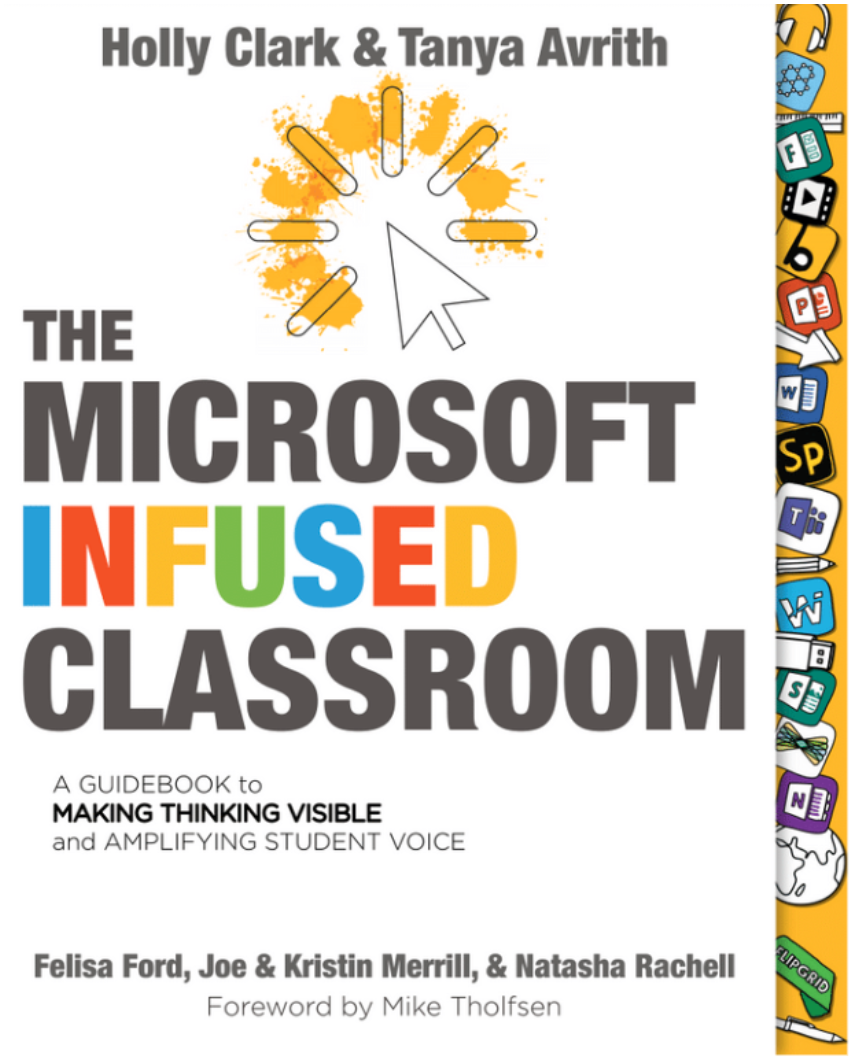
In the midst of all of the years of writing, I got my oldest son through high school and then college. My youngest son got through middle school and into high school. I was a football mom, a baseball mom and a lacrosse mom. I switched jobs...twice! I reached out to an edtech friend asking how I could get more involved in that space and little did I know, that phone call would change my life! I was presented with NUMEROUS opportunities to travel all across this country training educators and working with them, learning creative ways to hone our practice. I was nominated for Our Voice Academy, a group of minority educators from around the country. I became a Google Certified Trainer and Google Innovator. I became a Microsoft Innovative Educator Expert. I became a Flipgrid Ambassador. And earned a TON of other edtech certifications. I learned a LOT!!! And then, my twin brother was involved in a horrific car accident that left him in a coma for 10 days and then learning how to do life all over again. Someone VERY close to me was diagnosed, treated for, and beat breast cancer. These last 2 events put my life, and my dissertation, on hold for a couple of years. But I never quit...Based on all of my experiences above, I crafted a keynote speech titled, “Using your why to drive your intention.” I’ve delivered that keynote on numerous stages, to thousands of educators all across the country, hoping to leave an impact on their lives as an educator and an imprint on their hearts as a human. I co-authored a book called "The Microsoft Infused Classroom."  Annnd I still worked my 9-5 job!  I have no doubt that had I said “no” to all of the above that I could have completed this degree a lot sooner. But here’s the thing. This was MY journey! Sure, I wish that I would have completed it in a shorter amount of time, but I wouldn’t be where I am now, working with the people that I’m working with, having met everyone that I’ve met, or had the opportunities that I’ve had, had I not said, “yes.” And I’m okay with that.

I just looked back on my course grades and saw that my first doctoral course was on August 19, 2010. I defended my dissertation on August 27, 2019 and the Dean signed my cover page 8 months later on April 30, 2020. I had a few AQR revisions that I needed to take care of after defense. I got lazy and dragged my feet. Then I got it done. Then COVID-19 happened. I waited and waited and waited. And finally, on the evening of Monday, May 4th, as I was sitting on the couch watching Wheel of Fortune, I opened my email for the millionth time to find the “CONGRATULATIONS, THE DEAN HAS SIGNED OFF ON YOUR DISSERTATION” email! I instantly started crying and praying prayers of gratitude. That feeling is one that I cannot explain.

It was important to me to add an inspirational quote on my acknowledgements page but the right one had never hit me, until the legend, Kobe Bryant passed away. The last line of my acknowledgements page reads, “The most important thing is to try to inspire people so that they can be great in whatever they want to do” (Kobe Bryant). I pray that my journey and being so open with its details serves as an inspiration to those that come behind me and to those considering this journey. This has by far been the most tedious, hardest, thing I’ve ever been through. I have joined the 2% of the American population that holds a Doctoral degree. 

I am truly thankful for my committee that saw me through to the end, my husband and our 2 amazing sons, my mom and brothers, my person, my girl tribe, my colleagues and friends, my TT crew....without you, NONE of this would have been possible.

I am honored.

I am proud.

I am Dr. Rachell…...

My advice to anyone else on this journey:

  • A good dissertation is a done dissertation. Not a perfect one. A done one!
  • Celebrate those around you making progress, even if you aren't.
  • Work on SOMETHING every single day. 
  • Don’t take a day off! 
  • Use the expertise of those around you.
  • Hire an editor.
  • Your journey is YOUR journey. Don’t compare your journey to others.
  • People will start their process after you’ve started yours and they will finish before you. Celebrate them!
  • Keep going.
  • Take care of your health. Exercise. Eat well. Drink the water.
  • Have a creative outlet (ie. reading, journaling, walking….something!).
  • Keep a good group of like minded individuals around you.
  • Find at least one accountability partner to push you along the way.

If you are on this journey, keep going. You can and you will do it! I believe in you!

Signing off for the first OFFICIAL time as,


Friday, March 20, 2020

5 Tips to Check In With Your Students During School Closures


Back in 1994, I was a freshman in college at Morris Brown College, a small but mighty historical black college.  I traveled 3,000 miles from Southern California all the way to Atlanta, Georgia with my twin brother for the first time ever.  I was a Biology Pre-Med major and a cheerleader during my freshman year with a VERY hectic social calendar!  One Friday night, as I was getting ready to head out for the night with my friends, the phone in my dorm room rang.  It was my Biology professor.  WHAT!?!?!?  He was calling me to make sure that I was planning to stay in all weekend and study for my upcoming exam that Monday.  I was shocked!  I had NEVER had a professor, teacher, etc call me to just check in!  The conversation lasted all of 1 minute but it served its purpose!  I did indeed go out that night....I mean....I already had plans!  LOL!  But his words stuck with me that entire weekend as I prepared for that exam.  On Monday, after speaking with other classmates, he took the time to call every last one of us that weekend to simply check in!

This is an extremely stressful time for EVERYONE!  We are all figuring everything out for the first time...together.  I think we all feel like we're on a break but we're still working and students are technically still in school.  It's weird!  Waking up and not realizing which day of the week it is confusing enough!  We've got to stay on track and keep a schedule and part of this is figuring out a way to keep those relationships going with our students.

With us being away from our students for an inevitable amount of time, it's important that we get creative in the ways that we check in with them.  We can't see them face to face so how on earth will we accomplish this?

Let me share 5 quick ways that you can make this happen!

1. Use Flipgrid!  

If you are not familiar with Flipgrid, check them out on Twitter or read about them on my blog here, here and here!

Here's a suggestion....create an open topic Monday through Thursday that allows your students to check in and let you know how they're doing.  Allow your students to respond to each other and continue to foster those relationships with each other.  Then, on Friday, create a closed/monitored topic that has specific prompts that act as check-ins with your kids.  You can use this closed topic to really understand how they're feeling, what they're going through, what challenges are they having, etc.  This will allow you to provide extra assistance if and when needed.

2.  Use Google Forms or Microsoft Forms!

My friend, Mari Venturino has blogged and tweeted about student check-ins in the past.  In fact, it's one of her most viewed and shared blogs!  Be sure to check it out here.  She has also created a family check in form that encourages families to be engaged.  She uses this opportunity to share pertinent information re: school updates, free student meals, etc.

To check in with her students, Mari uses Google Forms because that's what her students are familiar with, however you could also choose to use Microsoft Forms.  When the data is received, she has created conditional formatting rules on the Google Sheet (on the back end) that color code the students responses.  This way, she can easily and visually see how her students are doing.  You could definitely use this information to guide the order of your phone calls and/or video calls talked about down below!

3.  Pick up the phone and call 5 students a day!

Created by Jennifer Hall
This doesn't have to take long.  Think back to my college professor calling me.  Your students would be both surprised and excited to hear from you right now!  This is also an opportunity to make sure they are all caught up with where they need to be and that they have everything they need to be successful during this time.  If your students have access through eBooks through their public library or through a tool like myON, you could also share book recommendations with them.  And just an FYI...Scholastic is offering some free "Learn at Home" resources for students right now for PreK through 9th grade students.  These resources are aimed to keep kids reading, thinking and growing.

Be sure to keep a phone log of every phone call that you make and receive.....because...ya know....documentation!

If you don't want to use your personal phone to call your students, you can create a Google Voice phone number.  My friend, coworker, and educational technology guru, Jennifer Hall has created an awesome quick sheet with simple instructions on how to do so.  Access it HERE.

4.  Create a Google Slides or online Microsoft Power Point presentation!

Share some kind of presentation tool with your students that allows them to "claim a slide" and create a visual representation of how they're feeling and what they're doing.  This could be done once a week or more often if you felt it necessary.  Students can add text, images, videos, audio, etc to represent what they need to.

Go one step further and create a video montage of each of the slides and send it in a weekly recap newsletter to your class newsletter!  Of course, make sure you have permission to share them if you have students with photo release forms on file.

You could also create a Padlet and have students leave a daily check in post there!


5.  Schedule virtual one on ones with your students!

I know our schedules are overflowing right now but we've got to maintain some kind of personal contact with our students during this time.  Hopefully doing so will help to keep some level of normalcy in their lives.  Have your students sign up for calendar slots either through Google Calendar or Sign Up Genius, or some other tool.  These time slots could be as short as 5-10 minutes.  Just a quick virtual, face to face check in.  You could even use this time to have your students read a book to you as well.  Host these virtual one on ones in Google Meet, Microsoft Teams or via Zoom!  I would also recommend that you make sure to record these so you can have them as documentation if and when you're asked for it when we return back to school!

Bitmoji ImageFUN BONUS TIP!!!!  

As we are still building community in our classroom, find a kid friendly movie on Netflix and host a virtual Netflix party!  Learn more about it HERE.  Of course you want to make sure that you have parent permission.  Actually....invite the entire family!  Everyone could be eating their own snacks in their homes, watching the same family friendly movie on Netflix and talking about it online!  Such a fun concept and way to bring everyone together virtually!  If you're an upper grades teacher, there are a ton of documentaries that might apply to your content.  Search for documentaries on Netflix and see what you find!


How are you checking in with your students during this time?  Are you making a concerted effort to do so?  Share all of your tips and tricks!


Wednesday, March 18, 2020

10 Ways to Take Care of You During Distance Learning


While we are all running around taking care of our administrators, teachers and students, we must also remember to take care of ourselves.

Yes, we're all stressed out right now and being pulled in a million different directions as we work through this "new normal."  What I want you to keep in mind, and what I continue to repeat is that we are all going through this for the first time together!  This is new to all of us!  None of us are experts...even the experts!  We're all figuring it out!

Even with all of the stress and trying to manage our days right now, we have a HUGE opportunity to come out of this better than we have walked into it.  I don't know about you, but that's exactly what I plan to do.

Bitmoji ImageYou know when you're on an airplane and they tell you that in the case of emergency, to put your oxygen mask on first before you assist someone else?  You've got to do that now.  Put YOUR oxygen mask on first so you can be a better teacher, colleague, parent, spouse and friend.  Making sure that you have some self-care options in place while you are overwhelmed with everything that is going on is critical to your mental and physical health right now!

Here are 10 way you can make sure that YOU are taking care of YOU during this time.

#1-Create a schedule and try to stick to it.

While we work to create a new balance, it would be hugely beneficial to create a daily schedule.  Mine may be a little bit different than that of a classroom teacher because I don't have specific content to teach.  Teachers will more than likely be adhering to being online during certain times during the day so they are available for their students.  For us ed tech specialists, some of us are online all day answering different questions and responding to different people's needs.  Some of us may be able to create an hourly schedule that works for us throughout the day.  Mine looks more like a "to do" list that allows me to check off the tasks that I complete every day.

Passion Planner has several different FREE planner page downloads available on their website that you can print and try.  Here's a link to the daily version: https://passionplanner.com/daily-pdf/

Start Planner also has some sample pages that you can download and try for free:  https://startplanner.com/pages/sample-pages

A good old fashioned notebook works as well!  As educators, I'm sure, like me, you have a million of these laying around!

#2-Drink enough water and eat balanced meals

Bitmoji ImageThe great thing about working from home is that you can go to the bathroom whenever you need to!  For teachers, this is HUGE!  Drink all the water!  Keep yourself hydrated.  In regard to eating balanced meals....I know that we all ran out and prepared our houses for a couple of weeks of food and this probably meant a lot of packaged and canned foods.  Not a lot of fresh produce because it spoils quicker.  I stocked up on as much fresh produce as I could and will try to get more without putting others or myself in harm.  As much as possible, I would like to encourage you to eat as balanced as you can.  Our health still needs to be a priority.

#3-Keep yourself accountable for your work

For those of us that are still getting paid for working at home, it's important that even if you haven't been told to do certain things to report what you're doing, that you keep a level of accountability...just in case!  We don't know if and what may be asked of us as we get this work from home thing to a nice flowing thing or when we return to our brick and mortar buildings.  I'd suggest that you find a way that works for you to keep up with what you are doing and accomplishing on a daily basis.  For a teacher, a Google Classroom might suffice.  For those of us that are outside of the classroom, that may look like a OneNote Notebook or a physical paper notebook where we keep track of what we do every day.  Keep important emails.  File them into folders for easy organization.  Record any Google Meet, Skype or Zoom sessions that you conduct.  Upload them to YouTube and create a playlist.  you can keep it unlisted so it's not open to the public.  If and when you are ever asked for proof, BAM! you've got it!

#4-Wake up and get ready for the day

Bitmoji ImageSet an alarm and make your bed as soon as you get out of the bed!  It makes a difference and it starts your day.  It also gives you the sense of completing a task.  Wake up, bed made, CHECK!  Also, take the time to get dressed and get ready!  I recently saw a post on Instagram by Jon Acuff and the author talked about the importance of getting dressed for the day!  As someone that works from home (he's an author) he spoke about how important it is to get fully dressed from head to toe and not just from the waist up (what will be visible on camera in your virtual classrooms).  He stated that  it's so easy for people to fall into depression at times like these because we are out of our normal.  Taking the time to get ready every day, from head to toe, will keep you in as much of your normal as possible at a time like this.

#5-Take periodic breaks

Sitting in a chair, staring at a computer screen for 8 hours a day is not a healthy practice nor is it a practice that we want to start to make a habit.  Set alarms on your phone to make sure that you get up from your work area at least once every hour.  Walk around your house.  Walk outside and get the mail.  Stand outside for 5 minutes.  Get some vitamin D.  Stand up and stretch.  Use a meditation or breathing app and just breathe for 5 minutes.

#6-Make time to move your body

As a health and wellness coach, this is super important to me.  I make intentional time to move my body for at least 20-30 minutes a day.  Do I WANT to?  No.  But I know it's the best thing for me.  Sitting down in a chair all day is not the best thing for us so it's important to make sure that we find the time to get our heart rate up, stretch, and be good to the body that we have that is so good to us!

If you are interested in having me send you links to FREE workouts that you can do from home simply by clicking on them and pressing "play," let me know!  Inbox me your email address on Twitter (@apsitnatasha) or on Instagram (@fithappyeducator).  No obligations at all.  I just want to get you moving your body.  It's THAT important!
Bitmoji Image

#7-Get outside

This is simple.  Get outside for a few minutes a day and take a breath of fresh air!  I know it's the start of allergy season but I think it's important to soak up a few minutes of vitamin D and inhale some fresh air every day.  Take your allergy medicine and head out doors!

#8-Turn off at a certain time

When your work day ends, you need to end it!  This is hard for me as I'm never really "off."  However, I am going to try to make a more conscious effort to "turn off" after a certain time.  True story, I woke up in the middle night, Sunday night because I was having a dream about Google Meet not working and I knew my teachers were depending on it!  We have to find a way to separate work and home if we're going to maintain any kind of sanity.  I would even suggest creating a work area in your house that you can physically get up from at the end of your work day.  Even better if you can close the door to that room!

#9-Create "me" time
Bitmoji Image
This is sooooo important to me!  As I stated earlier, you can sit around and binge Netflix for these few weeks or you can come out better on the other side of it.  I am a firm believer in "me" time and taking care of yourself!  Establish a morning routine.  This will look different for everyone.  Maybe you practice gratitude, read 10 pages of a professional development/self help book, and journal for 20 minutes every morning.  Maybe you go for a walk every morning.  Maybe your morning routine consists of you sitting at your kitchen table and spending time in your faith.  Whatever it looks like, establish a morning routine that allows you to connect with yourself.

This is also a time that you could take an online class.  If you are in the world of educational technology, there are TONS of ed tech certifications that you could pursue right now.  If you need some suggestions, let me know!  I have a ton!  LOL

If you're not in education, you could learn how to use Excel or Google more effectively.  YouTube is the BEST teacher out there.  Figure out what you want to learn and go to the internet.  There is free learning right there, waiting just for you!

Learn something new!  I bought some hand-lettering books and plan to spend some time learning how to hand letter.  I may not get it perfect but I'm going to spend some time diving in and seeing what happens.

READ!  My TBR (to be read) pile is HUGE!!!  I plan to spend a lot of time reading over these next few weeks.  Authors are releasing new books left and right.  I am a member of the Book of the Month Club and I get at least one book sent to my house every month.  It's like Christmas every month!  If you'd like to try out the Book of the Month Club and get your first month's book for only $5.00, click this link: https://www.mybotm.com/yfl4hl0qros?show_box=true.

#10-Create family time

Bitmoji ImageOnce your work day is over, how are you spending time with your family?  About a week ago when there was a lot of chatter about things shutting down, my youngest son and I ventured out to Target to purchase some games that could keep us occupied.  It was very important to me to find some options that would ensure that he wasn't just doing homework and then playing video games all day.  I wanted to find activities that would allow us to bond as a family and engage in conversation.  We already had a few games in our house but we added a few more decks of cards, another set of Uno cards and a game called Mastermind.  It's a strategy game and once we figured out how to play, we've been playing nonstop!  Think outside of the box and come up with some ways that your family can spend quality time together.

  • Play games
  • Watch a movie together
  • Watch a Ted Talk a day during dinner and talk about it
  • Cook a meal or bake something together
Bringing it all together...

Whether you incorporate one of these ideas of all ten of them, I hope they bring some balance to your life during this crazy and unknown time.  Now it's your turn...what are you doing to make sure that you are taking care of you during distance learning days?


Monday, December 30, 2019

All About Microsoft Sway


An introduction to Microsoft Sway and 5 ways for teachers and students to use it!


Microsoft Sway is a FREE web based tool that allows both students and teachers to create interactive presentations and other content very easily and seamlessly.  Since it's web based, you can access it from any device at any time!


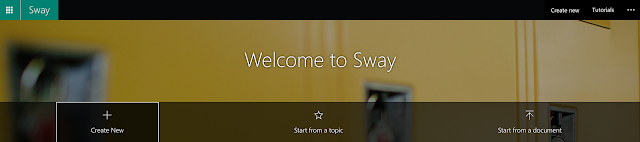
Access Sway by going directly to sway.com.


Sway provides you with three different options to create a Sway:
  1. Start from scratch.
  2. Start from a template.
  3. Start by uploading a previously created document from your computer.

A Sway can be shared with specific people or groups, those in your organization with the link, or with anyone that you share the link with.  In addition, users can add collaborators to their Sway to work together to create powerful content.


Here are 5 ways that teachers can use Sway:
  1. Create a HyperDoc within Sway to share with students.  Make sure that it’s visually engaging and contains learning experiences that include all of the resources that your students could need.
  2. Create presentations with content to share with your students.  Include videos, text, Flipgrids, etc and teach directly from your Sway.  These can be shared with absent students so they don't miss the content from the days they are out.  These can also be housed in a resource library (ie. OneNote) so students can access each day's Sway with the content for that day as they need them.  Since they update in real time there is no need to press the “save” button! Students will always have access to the latest information.
  3. Collaborate with other teachers and create a virtual professional learning library with resources from conferences or with learned content throughout the year.
  4. Flip your classroom by using Sway to provide your students with the content using videos, text, and other interactive media, to review at home and then use class time to dive deeper and practice.
  5. Create your classroom newsletters and share the link directly with your parents.  This is a great way to keep your parents informed about what’s happening in your classroom.  Include links to field trip forms, flyers for PTA meetings, etc. The sky's the limit for what can be included!
Here are 5 ways that students can use Sway:
  1. Create book reviews.  I LOVE this idea!  Teachers could then take this a step forward and create a “Class Book Wakelet” to showcase virtual book reviews for their classes over the school year.  If another student needed a book recommendation, they could go to the Wakelet and view all of the book review Sways created by their classmates!
  2. Create digital portfolios within a Sway.  Sway allows a platform for students to showcase their best work and share it with an authentic audience.  Imagine them being able to showcase their growth over the course of the year!
  3. Use Sway to create a presentation instead of using PowerPoint.  Students have access to this free, intuitive tool to create presentations that are engaging and interactive.
  4. Create science lab reports using Sway.  As a former high school science teacher, I wish that Sway was around back then!  Students can use Sway to upload their data, videos, and audio to show the demonstration of their learning while working through labs in their various science courses.
  5. ELL students can create digital picture dictionaries as they learn the English language.  Because all forms of media can be uploaded into Sway, ELL students are able to share their learning in various forms.  This provides them with an opportunity for repetition as they not only type and speak words from the English language, but they can also upload audio and video as well.  
Did you know that the Microsoft Educator Community offers a ton of free professional learning resources on any and everything related to Microsoft you could ever want to learn, including Sway!  To learn more about Microsoft Sway, visit the Microsoft Educator Center (education.microsoft.com), create your free educator account and search for and complete the following three courses:


How do you use Sway in your classroom with your students?  

Learn more about The Microsoft Infused Classroom by visiting infused.link/learnmore


Thursday, July 4, 2019

ISTE 2019...The joy of missing out!


WARNING:  Long post and full of pictures!

Annnnnd that's a wrap!  #ISTE19 is over and all I can say is WOW!

I have attended ISTE every year since the last time it was in Atlanta (6 years....I think!) and I have to say that this was my FAVORITE ISTE yet!  For soooo many reasons!  Like several of my other edtech friends, Sarah Thomas and Mari Venturino, I created a schedule of all of the events that I COULD attend if I wasn't too tired, running myself too thin, or just had the time to do so.  Looking at this schedule before landing in Philly was definitely overwhelming.  I had a lot of events that overlapped or started as soon as another ended.  The point is, is that I gave myself options and choices.  In the past, I ran myself crazy trying to get to EVERYTHING to see EVERYONE!  Not this year.  I must admit that there are people that I am super sad that I didn't get to see and hug and will make it a point to connect with them next year. ISTE is just so HUGE that it's impossible to see and do everything.  Sadly, I also missed what would have been my first Google Innovator Energizer.  This event always happens the day before ISTE starts.  That day also happened to be my youngest son's birthday so being a mom had to trump being an Innovator.  I hope to be there next year!

I have waited to create this blog post as I have really had to process what happened!  LOL!  I think the best way for me to recap this amazing experience is to outline it by each day.  Here's my #ISTE18 blog!

Sunday

Chilling in first class!  
ISTE started off on a high for me!  My flight going to Philadelphia was overbooked and I was going to have to give up my seat.  At the last minute, they got me on the flight but moved me to FIRST CLASS!  This was my first time riding in first class and I loved every minute of it!  And of course I had to document it with a picture!  LOL

Our Voice Academy
Meet Up!
We dropped our bags off at the hotel and walked to the convention center to get checked in and get a lay of the land.  The convention center was HUGE!  There was a ton of walking that occurred over the week!  As a matter of fact, over the course of the conference, I walked the equivalent to a marathon!  After getting situated, I attended the Our Voice Academy (OVA) meetup.  It was refreshing to be around so many edtech educators of color that are working to share their voices in the edtech space.  The third cohort of OVA members (I am in the first cohort) was just announced and I got to meet so many of them!  I am excited to see how they take advantage of the opportunity as they begin to share their voices!

Quin (my Google
Innovator
Mentor) and I.
While waiting on the shuttle to go back to the hotel to get ready for all of the edtech meetups, I saw my Google Innovator mentor walking past the shuttle!  This was a HUGE highlight for me as this was our first time meeting in person!  I hopped off the shuttle and yelled, "QUIN!"  It was him!  We hugged and caught up for a few minutes!  Quin is JUST as awesome in person as he is over email and Google Hangouts and it was a pleasure to meet him in person and hug his neck!

After leaving the OVA meet up, I headed to the Microsoft in Education Expert (MIEE) meetup.  So many of my edtech friends were honored with some pretty darn amazing accolades!  At the end of the awards portion, they played a video of images and clips of all of the Microsoft and Minecraft trainings that have taken place over the course of the year and it was exciting to see how many educators and students that the MIEE community has touched!  We are a strong and mighty group!

Monday

Working at the
Microsoft Booth.
I got the opportunity to work at the zSpace booth and the Microsoft in Education booth and share the goodness of both with the tons of educators that walked by to check them out!  I LOVED sharing how we use these resources with our students and teachers in Atlanta Public Schools.  It was cool to learn from the educators that I interacted with and hear how they use these resources as well.

That's the cool thing about all of the technology that's out there.  All it is is a tool!  I always scream from the rooftop that it's simply a vehicle to deliver the content!  That's it!  You could have 100 different educators using the same technology resource and they could all be using it 100 different ways!  That's why it's absolutely critical that educators engage in and have a meaningful PLN (professional learning network)!  There's sooooo much to learn from one another!

My colleagues and I with the team at
@PlayCraftLearn!
My colleagues and I got to meet with the team at MinecraftEDU to talk about all things Minecraft!  We got to hear about some updates and we also got to share with them all of the awesome things we do with Minecraft in Atlanta!  Again, we were asked what support we needed and what we'd like to see.  I love that they listen!  If you think Minecraft is just a block building game, you are HIGHLY mistaken!  There are TONS of educational resources, lessons, etc for ALL content areas built right into Minecraft!

I had about 30 minutes to run over to the Google Certified Trainer/Innovator meet up before heading to the next event!  And although I told myself I didn't want to drive myself crazy getting to everything, it was important to me to attend this event as it was not only my first attending as an Innovator, but it was a chance for me to see and hug a lot of people that I hadn't had a chance to see yet!  There are a ton of updates coming from Google for Education!  One of the updates that I'm most excited about is the NEW Google Student Certification that is coming!  Students will now be able to take an exam (similar to the Level 1 and Level 2 exams that we take to show our mastery of the Google tools) and earn a certification that they can then place on their resumes!
Delivering my "mic drop" at
Flilpgrid LIVE!

Then it was time for FLIPGRID LIVE!  What an AMAZING experience!  (Side note....how many times can I say amazing in this blog post?  LOL)  I was selected, along with 8 other educators to deliver a 1 minute "mic drop" about my "why" to 1,000 educators!  This was definitely the highlight of ISTE this year!  See the video below for my "mic drop."  My coworkers and I decided to wear tutus and our "Techies in Tutus" shirts!  It was too cute!  During Flipgrid LIVE, there were TONS of updates announced!  My favorite was the AR component!  This is going to be a game changer when students return back to school!  To be able to bring the hard work of students to life in a special way....I can't wait!  I can't believe how many other edtech tools are now integrated with Flipgrid!  It was like there was update after update after update announced!  I don't know how they're going to top it next year!  Read all about the evening on the FLIPGRID blog! 


Tuesday

Tuesday morning consisted of a few meetings with different vendors.  We were able to share how we use their resources in Atlanta and also make some suggestions for what we'd like to see in the future.  I love that edtech companies are so willing to listen to their end users and actually incorporate the feedback they receive to make their products better!


Sharing how to use Google
Drawings to assess students
at the Google Playground.
I had the opportunity to share my love for Google Drawings and how to use them to assess students at the Google Playground that afternoon!  I shared how I use them and provided a ton of resources with them.  I also got to listen to the educators that stopped by my table and learn a few tips and tricks from them as well! Click here to access the resources that all of the presenters shared during their playground sessions!  I love that educators are so willing to share what they do with others!

Mike Tholfsen (One Note
Avenger!)  and I being
photobombed by Toney
Jackson
(@herhymeswithme)
My friends at Microsoft EDU hosted another awesome Hack the Classroom Event!  We go to hear about a few updates and then heard from 5 different educators about their experiences incorporating the Microsoft Learning Tools (which compare to no other) into their teaching practices!  The lives of students are literally being changed because of these learning tools!  Students are learning how to speak English as a second language.  I was inspired (as always) by Toney Jackson who shared the following message with us, "Your students are filled with potential they may never know about.  Love your students.  Dig into the core FIRST!  If we don't care, what's the purpose?  The imprint you leave on your students is a fossil and not a footprint."  I love the family that Microsoft EDU creates with their team along with the educators that decide to apply to be Microsoft in Education Experts.  They listed to the suggestions of educators and make updates to their amazing products based on those suggestions.  Being able to attend Hack the Classroom in person is always a treat!

Wednesday

On Wednesday morning, I headed back to the convention center to make a few more connections and network with a few more people!  It was my goal this year to find some great things that we might be able to use in Atlanta and I think I found some goodies!  I will share all of those in another post!  Once the conference was over, my colleagues and I decided to take a bus tour of historic Philadelphia.  I am NOT a social studies person at all but the architecture and the stories behind the buildings were so intriguing!  Here are a few pics from the tour!

Then it was time to come home!

I had such an amazing time with old friends and new ones!  Here are some of the pics that I snapped with new and old friends!

It was so refreshing to NOT have to be anywhere in particular!  I made it a point to spend a lot of time in the exhibition hall checking out new vendors and learning all about what they had to offer along with visiting vendors that I'm already familiar with to find out about all of the updates they were making to their tools!

As busy as I was, there was a lot that I missed.  And I'm okay with that.  There was definitely a joy in missing out.  Not forcing myself to be at events that would cause me to run from one to another.  I had an enjoyable time and learned a lot!  I am rejuvenated to begin the 2019-2020 school year!  Being around passionate educators that just want the best for their teachers and students has a way of energizing you.  Listening to others has a way of showing you the possibilities.  There is so much to learn.  There are so many amazing people out there.  I can't wait for #ISTE20!

Regardless if you were there or not, be sure to follow the hashtags #ISTE #ISTE19 #ISTE2019 #notatiste #notatiste19 #notatiste2019 to see what happened!

So there you have it!  What were your ISTE takeaways this year?

Until next time, Philly!


Monday, March 4, 2019

My first #FlipHunt!


Bitmoji Image
I did it!

I jumped in feet first and presented my FIRST Flipgrid FlipHunt!  Annnnnnd it was pretty darn AMAZING!!!

So...what is a FlipHunt, you ask?  Only the most amazingly awesome way to get your students engaged in learning!  A FlipHunt is a video based scavenger hunt!  It is run completely through FlipGrid and your students self guide themselves through it with very little facilitation from you!

My reflection:  

First, let me say, I am VERY surprised at how easy it was to set it up!  Once I came up with the actual questions and created the #FlipHunt document, the only thing left to do was set up the Flipgrid and the topic and set the participants free to hunt!  They LOVED it!  The energy in the room was so amazing!  There was dancing and smiles and a WHOLE lot of laughing!  I would DEFINITELY do this again and can't wait to continue to share it's ease of use and engagement with my colleagues and our students! 

Setting it up: 

So, how do you set it up?

✔  First, have a clear vision for what you want your students to accomplish as a result of completing the FlipHunt.

✔  Put together your actual FlipHunt!  You can either put it together yourself from scratch, or you can search the Discovery Library and find one there!  This is what I did for the professional development session that I led with educators last weekend!  Basically, you are putting together a document with scavenger hunt type questions for your students to discover.  They sky is the limit with this.  It could be an internet search for information.  A getting to know you activity.  An activity that has them outside looking for different things in real life.  You get the picture!

The FlipHunt that I used is below and it's adapted from one that I found in the Discovery Library!  It's hyperlinked with viewing rights!  Feel free to make a copy of it and alter it to meet your needs!  I made mine in Google Drawings but feel free to use Google Docs or whatever floats your boat!

Here it is in action!  That's organized chaos that you hear!  Check out the young lady in the back of the room getting ready to do an arabesque!  Oh yeah....she did that!


✔  Set up a Grid and your topic!  Now that you have your FlipHunt all ready to go, set up a grid with the instructions for the FlipHunt and a link to the actual FlipHunt so they can access it!  I actually displayed the FlipHunt on the board in the front of the classroom as well so they could see it instead of having to toggle back and forth between Flipgrid and the FlipHunt instructions.


This particular FlipHunt received 91 videos in less than 15 minutes!!!  And that was with educators!  Imagine if you did this in your class!

Here are a couple of ideas to get you started!

Math Idea:
What if you are a math teacher and your FlipHunt made students look for Geometry shapes in nature?  Each of the questions on your Hunt could be one of the shapes (ie. quadrilateral, parallelogram, octagon, etc).  As students found those, they would record a video and explain why that shape is the shape that it is!

Science Idea:
Have students create videos about the weather every day and talk about the different weather patterns that they see.  If it were raining one day, they could talk about the water cycle.  What if it were snowing?  What effect does humidity have?  These are all great conversation starters for your students!

English/Language Arts:
Have students create virtual reading logs over the summer and spring break!  Students can record their feedback on the books that they've read.  Perhaps the FlipHunt has different genres of reading material that you want them to read over the breaks!  Once they've read that genre, they record their video and move on to the next!

Social Studies: 
Let's say your kids are studying the candidates for an upcoming Presidential election.  Your FlipHunt could include questions/prompts about their platforms.  As students located/discovered the information about each candidate, they would record their video on the grid and discuss the candidates outlook on certain topics versus their own!

As always, if you need more information about Flipgrid in general, there is a phenomenal resource out there from Sean Fahey and  Karly Moura!  It's hyperlinked below so be sure to check it out!


Also, here is another resource all about FlipHunts!  https://kerszi.wordpress.com/2018/07/26/whats-a-fliphunt/

Have you tried a FlipHunt with your students or staff before?  How was it received?  Will you try it now?